 smartwatch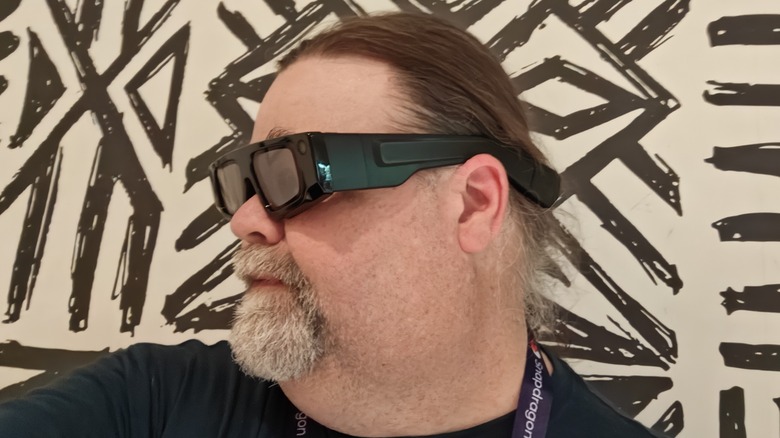
At Snapdragon Summit in Maui, Hawaii, this week, Qualcomm rolled out a number of innovations that it is enabling. The star of the show continues to be the Snapdragon X Elite computer processor and the all-new Snapdragon 8 Elite phone processor. But alongside those announcements, Qualcomm is making headway in a new space that not a lot of people are talking about — XR platforms. Snapdragon already powers a few different XR platforms including the Meta Ray Bans, and the just-released Meta Quest 3S.
But I got to take a peek at — and through — another XR platform that shows a lot of promise. Snap (Snapchat, not Snapdragon) brought some pairs of its new Spectacles to the conference for the press to try out. They give a good impression as to where things are right now, where they’re going, and what’s possible overall. Here’s what I learned about XR in my 45-minute demo.
These glasses are made for developers
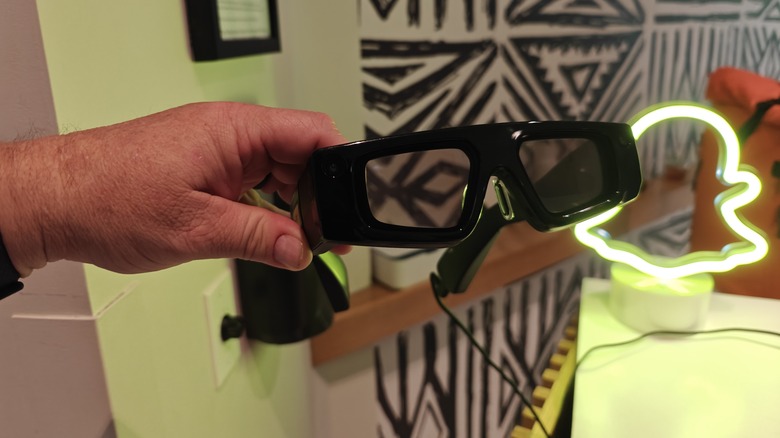
Since this is a relatively new area, you can expect there are some challenges to overcome. You can pick your poison for which of these huge gaps might prevent you from slapping down your credit card. In my personal order of preference, those downsides are: they cost $99 per month in a subscription service with a 12-month commitment, they’re for developers only, they only last for 45 minutes on a single charge, and they’re, to be perfectly frank, a little funny-looking. Many of you closed the page and moved on after reading that, but for those who didn’t, let’s dig in a bit.
The Spectacles are meant for developers to develop apps for the space. I don’t speak developer, so I can’t really talk about languages and models and compiling — all of which I think are things developers need to know about — but it’s not hard to join Snap’s developer program. That being said, the price tag is still prohibitive for all but the most ambitious development environments. You probably won’t be flipping a set to your kid for his 18th birthday, but if you will — and you’re in the market to adopt an overweight 48-year-old with long hair — I’m available.
There are some physical limitations
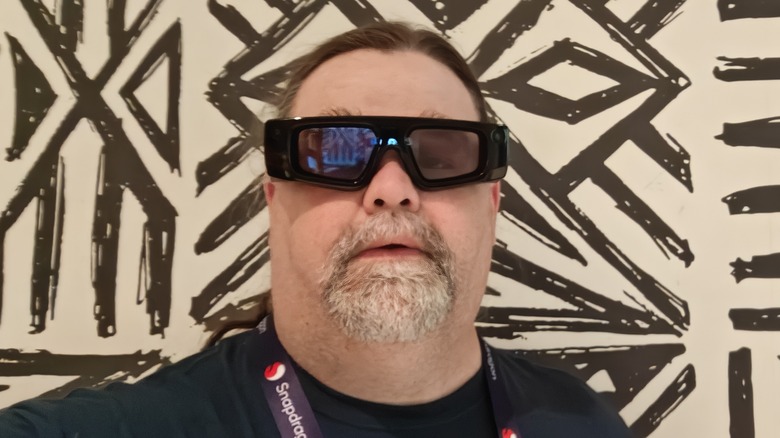
The biggest hangup might be the fact that they’re just flat out goofy-looking. The wearable looks like what I imagine people in the 1950s thought glasses might look like in the year 2024. They’re chunky, and oddly shaped. They have cameras embedded in them that are fairly obvious, and the frames are extremely thick — these are not Meta Ray-Bans, though they’re definitely smaller than the Meta Quest 3 VR headset we reviewed last year. That’s largely because the hardware involved is so much more demanding than Meta’s glasses. Those are designed primarily for audio feedback like playing music, or asking and answering questions. Snap has more lofty ambitions.
These are a true XR experience, with hand tracking, intuitive user interfaces, and dual Snapdragon processors powering the whole experience. In addition to the speakers and the AI engine powering the Ray-Bans, Snap also added dual transparent displays to the hardware. The displays only have a 46-degree field of view, which is fairly narrow, but the cool part is that it felt natural, and the images they displayed looked pretty good. You set up the Spectacles by using your phone’s camera to measure the distance between your eyes, and that’s it. I normally have to use reading glasses to see anything closer than six feet from me, but I did not have a problem with anything that the Spectacles generated.
The smart glasses have great potential
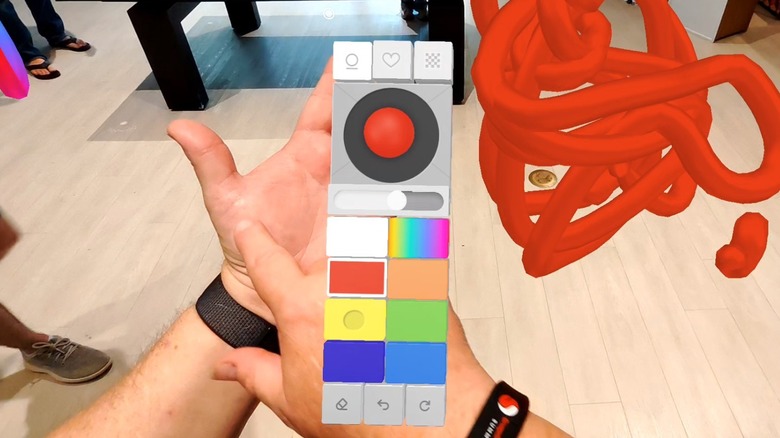
During the demo, I first had to learn the user interface, which involves holding up the palm of your left hand. Controls appear on there that you can tap, and it feels similar to the Humane AI Pin. That menu persists in any app you launch, so you get a nice consistent UI when you need it — a common aspect of how augmented reality works. I played a few different games including one called “Nature Paint,” which very simply allowed me to shoot flowers and plants out of my hand onto the ground, the table, and even the ceiling. The cool part is that the Spectacles knew whether I was spraying a horizontal or vertical surface and reacted appropriately.
Another game I played alongside a fellow journalist was a collaborative 3d drawing game that allows you to work alongside one (or more) others to draw in the air. The drawings are locked, so you can move around them and add details as you need to. I’ve never had the kind of mind that allows me to draw like that, but I really dig how easy it is — though the UI for choosing tools and color palettes weren’t as intuitive as I would have liked.
From an educational standpoint, there was “Solar System,” which does exactly what it sounds like: shows you a working model of the solar system. It’s not to scale, because if it was, Mercury and Jupiter would be miles apart, but it simulates the movement of the planets and moons and allows you to take a stroll around.
Snap is heading in the right direction
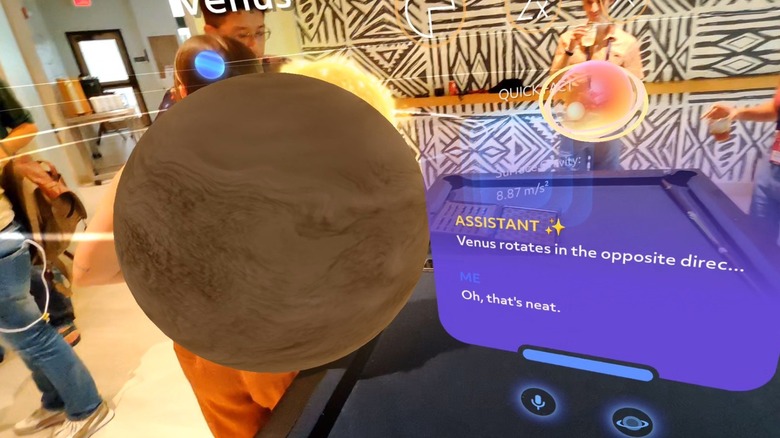
Overall, I think the future of XR is still very undefined, but I like the steps the Snap Spectacles are taking. Rather than a bulbous headset strapped to your face, the Spectacles are a more friendly — and socially acceptable — form factor (much like the RayNeo Air 2 smart glasses we reviewed last year). They’re still huge and they have a lot to overcome before they’re a viable consumer product, but they’re definitely a step in the right direction.
I still don’t know that spatial computing is the future. I like to think it is, but I also get nervous when I think about the sheer amount of data such devices will require and have access to. Am I ready to walk through a shopping mall and have advertisements appear in the air in front of me? Absolutely not.
But for some limited applications, which always seem to come back to gaming for whatever reason, there’s real potential — plus, the educational opportunities here are obvious. But to make them a viable consumer product, they need to be one-tenth the price, and probably about 50% smaller while maintaining the same battery life and other functionality. We’re not there yet, but now that I’ve tried these, I like the direction we’re headed in.
Source: http://www.slashgear.com/1695152/new-snapchat-xr-spectacles-hands-on-test-improvements-needed/
You may also like

